
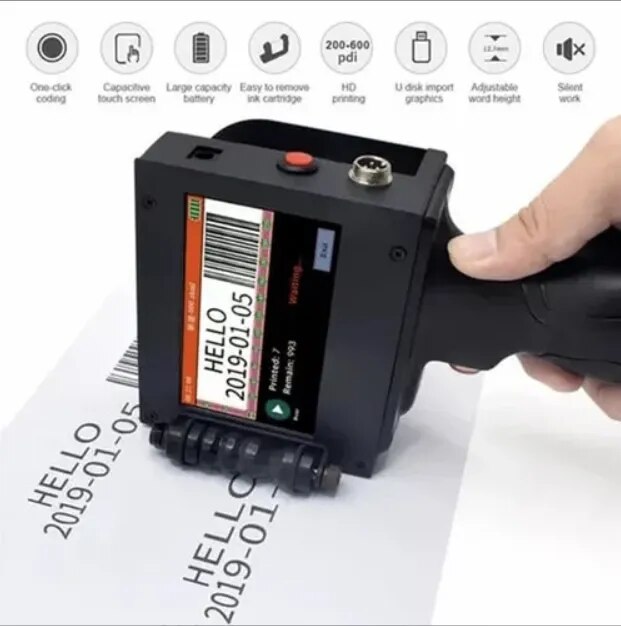
Description
Industrial Inkjet Printer Manufacturers
We are also supply in Andhra Pradesh, Arunachal Pradesh, Assam, Bihar, Chhattisgarh, Goa, Gujarat, Haryana, Himachal Pradesh, Jharkhand, Karnataka, Kerala, Madhya Pradesh, Maharashtra, Manipur, Meghalaya, Mizoram, Nagaland, Odisha, Punjab, Rajasthan, Sikkim, Tamil Nadu, Telangana, Tripura, Uttar Pradesh, Uttarakhand, and West Bengal
Minimum Order Quantity 1 Piece
Printer Type Continuous Inkjet
Max Print Height 12.7 mm
Max Print Speed 60 m/min
Print Content Text
Print Content Datamatrix
Print Content Logo
Print Content Mfg And Exp Date
Print Content QR Code
Print Content Serial No
Print Content Barcode
Core Life Maintenance Interval Cartage
Message Storage Capability Yes
Positive Air CleanFlow yes
Message Component Combination Yes
Data Storage 165mb
Supported Substrate Wood
Automatic Grade Semi Automatic
Supported Substrate Cable
Supported Substrate Carton
Supported Substrate Foil
Supported Substrate Glass
Supported Substrate Metal
Supported Substrate Plastic
Capacity(Print/Min) 10
his Hand Codding Machine is First, boot / load print file. Open power, the function keys, 'load file', choosing to spurt the code file, 'sure' (wait 3 seconds) > click on 'print' button (at this point the print button is red, said is printing) Two, edit file. Move to adjust according to write to empty, to edit the 'Edit' function keys 'to file' (wait 2 seconds), pop-up window, enter the text (CN), English (EN), digital symbol, please click on the text, and then click on the white space - > click 'Edit' button, click - > input information (according to en to toggle between symbols, by caps change size), 'complete', jet printing font, size, the information in the white space at the middle, 'file' - > 'save or save as' > input file name (Chinese input), 'OK', 'file', 'exit' edit. If you need to modify the file in the original file: function keys, edit file, file, open, select the file to change '. Three, edit pictures. The function keys, edit pictures ', insert U disk) (file name must be for the Arabic numerals) directly from the U disk to import to spurts the code machine,' file ',' open ', mobile device files, choose File >' OK '. Note: as long as the file name on the U disk can only be imported into the machine on the Arabia number


